Custom Web App vs WordPress: Which Is Right for Your Business in 2026?
Most of the "custom web app vs WordPress" calls we take start the same way: someone has a plugin list as long as their arm, a booking flow held together with three of them, and a nagging feeling they picked the wrong tool. Usually they didn't. They picked the right tool for half the job.
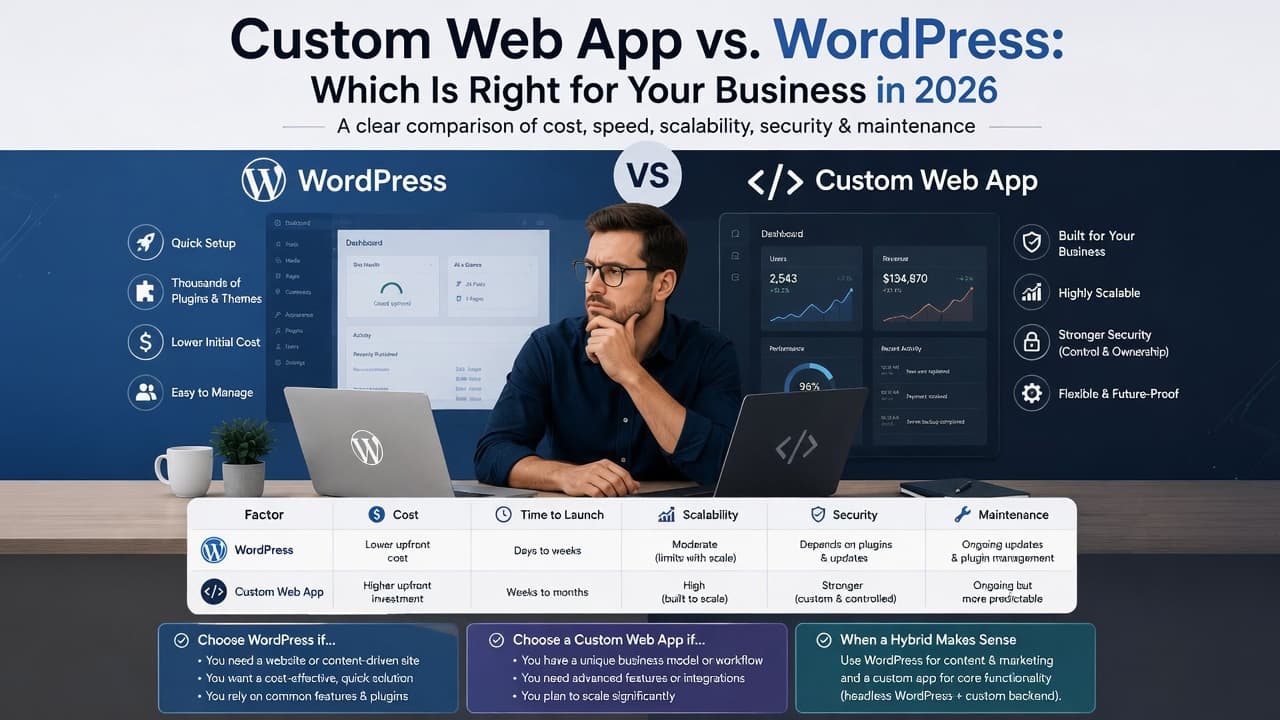
The short answer: choose WordPress when your website's main job is content (pages, a blog, landing pages, a simple shop) and you want to launch fast on a modest budget. Choose a custom web app when the website is really software: logins, dashboards, your own workflows, user roles or deep integrations with other systems. If you need both, run both: WordPress for the marketing site and a custom app for the product. Below: a comparison table and a five-minute checklist to tell which side of the line you're on.
Custom Web App vs WordPress: What You're Actually Choosing Between
WordPress is free, open-source software for publishing and managing a website. You get an admin area where anyone on your team can edit pages, write posts and swap images without touching code, plus a huge library of themes and plugins for everything from contact forms to online stores.
A custom web app is software written for one business. There's no theme to start from and no plugin directory to shop in. Every screen, rule and permission exists because you asked for it. Think client portals, booking systems with your own rules, internal dashboards, marketplaces and SaaS products.
A clinic that needs a five-page site and a blog has almost nothing in common, technically, with a clinic that wants patients to log in and rebook. The first is a website. The second is an application that happens to run in a browser.
WordPress vs Custom Website: The Comparison Table
Here's how the two compare on the things that usually decide it. Prices are our live starting prices; timelines come from our cost calculator for a typical project.
| Factor | WordPress | Custom web app |
|---|---|---|
| Cost to build | From $997 for a business website with us | Quoted after a short call, because scope varies too much for a fair starting price |
| Time to launch | About 2 to 3 weeks for a small business site on a standard timeline | About 7 to 9 weeks for a small app with user accounts and an admin dashboard |
| Flexibility | High for content and layout; limited by what plugins can do once you need custom logic | Whatever you specify, because nothing is inherited |
| Who edits content | Your team, in a familiar editor | Your team, but only through screens someone built for it |
| Maintenance | Regular core, theme and plugin updates, plus testing that they still work together | Fewer third-party parts, but changes need a developer |
| Security | Core is well maintained; most risk comes from outdated or poorly built plugins and weak logins | Smaller attack surface, but only as safe as the team that built it |
| Who it suits | Marketing sites, blogs, portfolios, landing pages, small stores | Portals, SaaS, booking and operations systems, anything with logins and roles |
These are general timelines and prices for typical projects, not a quote. For an exact timeline, quote and pricing, book a free consultation.
Want those numbers for your own project instead of ours? The website and app cost calculator lets you pick "Business website" or "Custom web app", tick the features you need and see the timeline and what drives the cost, then emails you the breakdown.
Cost and Time to Launch: Where WordPress Wins
WordPress is cheaper and faster for one simple reason: most of the work already exists. The editor, user logins for your team, menus, media library, SEO-friendly URLs and blog are all built in. A build is mostly design, content and configuration, not engineering.
A custom web app pays for every piece. Even a modest one needs design, a database, sign-in, permissions, the actual features, an admin area and testing. That's why we don't publish a starting price for custom apps: "a customer portal" can mean four screens or forty. We'd rather hear what you need on a short call than give you a number that's wrong by a factor of three.
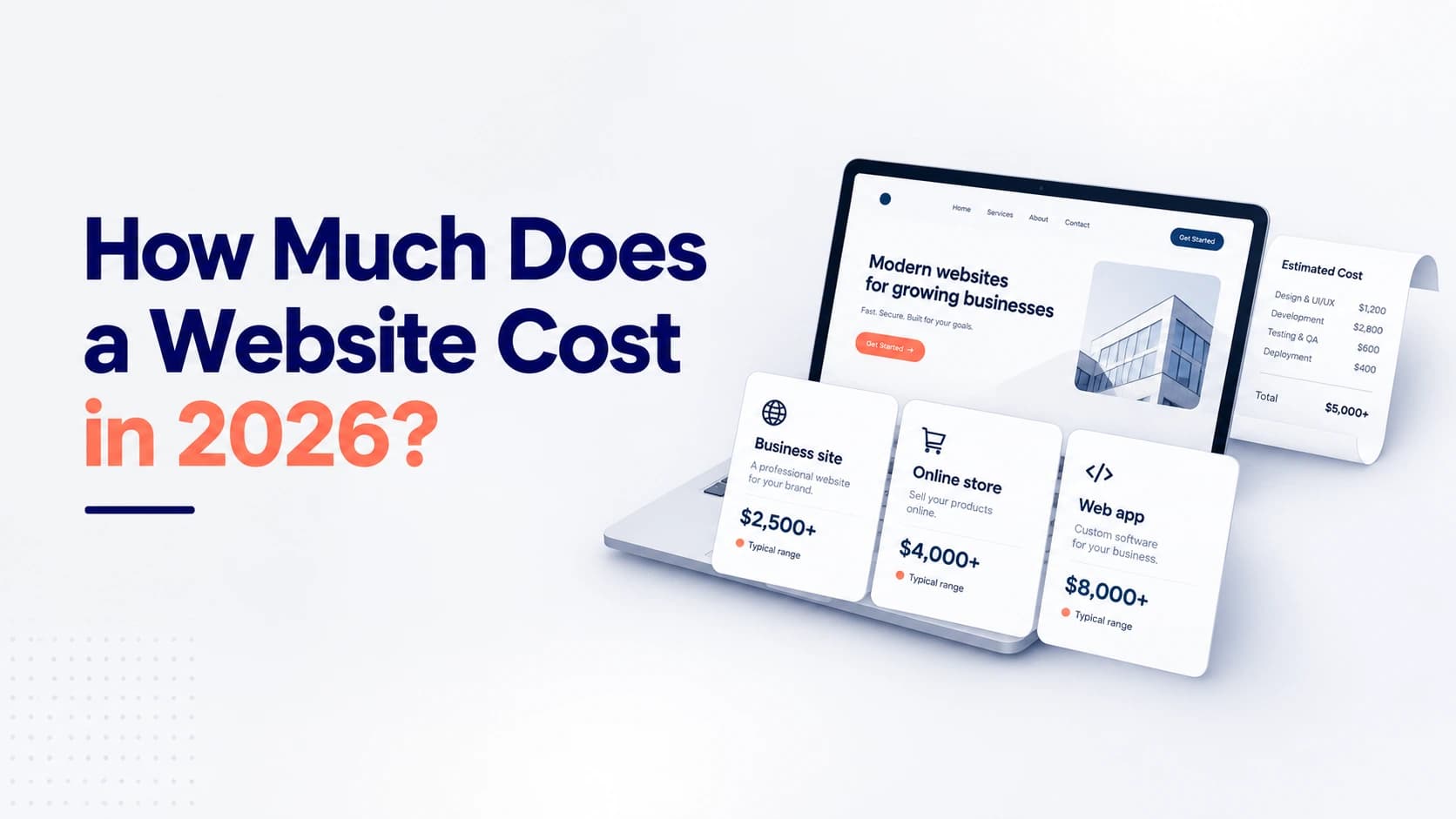
Where people get caught out is the middle ground. Say a consultancy wants a marketing site plus a client area for downloading reports. On WordPress that's a membership plugin, a file plugin and some glue code, which often works fine. Add invoices, approvals and per-client permissions, and the workarounds start costing more than doing it properly. If price is your main question, our breakdown of how much a website costs in 2026 goes further.
Flexibility: When Plugins Stop Being Enough
WordPress is more flexible than its reputation. Custom post types, custom fields and the built-in REST API let a good developer stretch it a long way.
The strain shows when the thing you need is a process rather than content. WordPress ships with five user roles on a single site (Administrator, Editor, Author, Contributor and Subscriber), and they're built around publishing. Once you need "a branch manager can approve bookings for their own branch but not see other branches' revenue", you're no longer configuring WordPress. You're writing an application inside it, with the constraints of a CMS and none of the freedom of a blank codebase.
Our rule of thumb: if you can describe what you need using nouns (pages, posts, products, forms), WordPress fits. If you describe it with verbs and conditions (approve, assign, escalate, if this then that), you're describing software.
Maintenance and Security: Different Work, Not Less Work
Neither option is "set and forget". The work just looks different.
On WordPress, the core software handles a lot for you. Automatic background updates arrived in WordPress 3.7, and since WordPress 5.6, new installs update automatically for both minor and major core releases by default. Plugins and themes are different: their auto-updates are off by default (the per-plugin toggle arrived in WordPress 5.5), so someone has to turn them on or apply updates by hand, and check nothing broke afterwards. Most WordPress security problems we see trace back to a plugin that hadn't been updated in a year, an abandoned plugin, or an admin account with a weak password and no two-factor login.
A custom app has far less third-party code, so there are fewer doors to watch. But nobody else is patching it for you: its security depends on how logins, permissions and data access were designed, and whether its libraries are kept current. A badly built custom app is worse than a well-kept WordPress site. We'd never call custom "more secure" by default; we'd call it "more in your control".
Budget for upkeep either way: updates, backups and uptime checks for WordPress; dependency updates, monitoring and a developer on call for a custom app.
When to Use WordPress (and When to Go Custom)
This is the section to come back to. Tick the statements that are true for you.
Choose WordPress if…
- Your site's job is to explain what you do and get enquiries.
- You'll publish regularly (blog, news, case studies) and want non-technical staff to do it.
- You need to be live in weeks, not months.
- Your budget is closer to four figures than five.
- The features you need already exist as well-maintained plugins: forms, bookings with standard rules, a small shop, a newsletter signup.
- Visitors don't need their own accounts, or only need simple ones.
Choose a custom web app if…
- Users log in to do real work: view their data, submit requests, manage orders.
- You need roles and permissions that match your org chart, not a publishing workflow.
- The core of the product is a process unique to your business.
- It must connect deeply to other systems (CRM, accounting, inventory, payment providers) and keep data in sync.
- You're building a product to sell, such as a SaaS platform, where the software is the business.
- You've already tried to make WordPress do it and spend more time fighting plugins than using them.
Mostly ticks in the first list? WordPress isn't a compromise for you; it's the right call, and we'd tell you not to pay for custom software you don't need. Mostly in the second? Go custom, but start smaller than you think. Our guide to building an MVP without overbuilding applies to portals and internal tools too.
Ticks in both lists? Keep reading, because that's the most common answer we give.
If you'd rather have someone check this for you, our experienced team builds both and will tell you plainly which one your project needs. Book a free consultation and bring your feature list.
The Hybrid Option: WordPress for Marketing, Custom Code for the Product
Many growing businesses shouldn't choose at all. They should split the job.
The setup looks like this: WordPress runs the public marketing site at your main domain, with the homepage, service pages, blog and landing pages. A separate custom app runs at a subdomain such as app.yourcompany.com, handling logins, dashboards and the business logic. A "Log in" button on the marketing site links across.
Why this works:
- Your marketing team can publish, test headlines and build landing pages without waiting for a developer or risking the product.
- The app's developers never have to touch content or worry that a plugin update will break the checkout.
- Each part can be rebuilt, redesigned or scaled without touching the other.
- You spend custom-development money only on the part that truly needs it.
The trade-off is two systems to look after, plus some design work so they feel like one brand. For a business with a real product, that's a fair price. What we'd steer you away from is forcing a complex product into WordPress because the marketing site already lives there.
WordPress or Custom Code: Questions to Ask Before You Decide
Before you commit either way, write down answers to these. They'll settle most debates, and they make any developer's quote far more accurate.
- Who will use it? Anonymous visitors, logged-in customers, staff, or all three?
- What should each type of user be able to do? List actions, not pages.
- What does it connect to? Name the actual tools: your CRM, accounting software, payment provider.
- Who updates the content, and how often?
- What must be ready at launch, and what can wait for phase two?
- Where do you expect it to be in two years? A bigger version of the same site, or a different kind of product?
Not sure how to turn those answers into something a developer can quote from? The AI project brief generator takes a few sentences about your idea and returns must-have features, what can wait, a suggested tech stack, phases and the open questions to settle first, so you start the conversation with a written scope.
Is WordPress Good for Business Websites in 2026?
Yes, for the job it was designed for. A fast, well-built WordPress site with a sensible plugin list is a strong choice for most service businesses, and it's what we recommend to most clients whose site is there to win enquiries. Speed and conversions depend far more on how it's built than on the platform, which is the theme of the redesign mistakes that quietly kill conversions.
When WordPress goes wrong, the cause is usually a heavy page-builder theme, thirty plugins where eight would do, cheap hosting and no one keeping it updated. Fix those and most "WordPress is slow and insecure" complaints go away.
Frequently Asked Questions
Is a custom web app better than WordPress? Neither is better in general. A custom web app is better for software with logins, roles and unique workflows; WordPress is better for content-led business websites, because it's faster to launch, cheaper to build and easy for your team to edit.
When should I move from WordPress to a custom web app? When the features that matter most to your business need custom logic: client portals, approval flows, complex permissions or two-way syncing with other systems. If you're adding plugins to work around other plugins, that's usually the sign. Often you only need to move the product, not the marketing site.
How much does WordPress cost compared with custom website development? With us, a WordPress business website starts from $997. Custom web apps vary too much in scope for a fixed starting price, so we quote them after a short call once we understand the features and integrations.
Is WordPress secure enough for a business website? Yes, if it's maintained. WordPress core updates itself automatically by default on new installs, but plugin and theme auto-updates are off unless you turn them on. Keep plugins few and updated, use strong passwords with two-factor login, and take regular backups.
Can WordPress and a custom web app work together? Yes, and it's often the best setup. WordPress runs the marketing site and blog, a custom app runs the logged-in product on a subdomain, and the two are linked with a shared design and a "Log in" button.
Should a startup use WordPress or custom code? Use WordPress (or a simple landing page) to explain the product and collect signups, and custom code for the product itself. Don't try to build a SaaS product inside WordPress to save money; it usually costs more to unpick later.
Keep reading
- How Much Does a Website Cost in 2026? A Real Price Breakdown
- How to Create an MVP for a SaaS Startup (Fast, Without Overbuilding)
- SaaS Development Checklist for Non-Technical Founders (2026)
WordPress, a Custom App or Both: Which Does Your Project Need?
We build on both sides of this line, through our WordPress development and custom web application development services, so we have no reason to push you towards one. For an example of a custom build, see the Manazil Al Haramain case study.
Bring your feature list, or the brief from the generator above, and we'll tell you which route fits, what to build first and what can wait.
Book a free consultation and get a clear WordPress, custom or hybrid recommendation for your project.