§ Free tool
WordPress security & health check.
This WordPress security check looks at your site from the outside, the way an attacker's bot would, without touching anything: whether WordPress, your plugins and theme are up to date, whether the login page, XML-RPC and usernames are exposed, and which security headers are missing.
What is checked
Core: your WordPress version against the latest release, and whether the version is on show. Access: the login page, XML-RPC, public usernames through the REST API, and folder listings. Plugins and theme: every one visible in the page, compared with WordPress.org, including plugins closed there.
Server and headers: HTTPS and redirects, the PHP and server versions on show, and the security headers browsers use to block common attacks.
Passive only
The check only opens public pages and files a browser could open. It never logs in, submits forms, guesses passwords or tries exploits, so it is safe to run on a live site.
That also means it cannot see everything: plugins that load no files on the home page, or issues behind the login, need a full security audit.
How to read your results
Fails are the findings attackers act on: WordPress core a major release or more behind, a plugin closed on WordPress.org, user accounts listed through the REST API, or an uploads folder that lists every file. Warnings are mostly about what is on show or left open, such as the version number, readme.html, the default login page, XML-RPC and plugins that need updating.
Plugin versions are read from the addresses of the files each plugin loads, so the list only covers plugins visible on the page tested. Treat an up-to-date result as a good sign rather than a guarantee. A plugin can be on its latest version and still have a flaw; what protects you is choosing maintained plugins and updating them promptly.
The most common problems we find
The biggest one is simply updates. Sites that were built a few years ago and then left alone often run plugins several versions behind, a theme that no longer gets updates and an old PHP version on the server. Each of those can carry known, published weaknesses, and automated bots scan the web for exactly those versions.
Next come the open doors: the default /wp-login.php with no limit on attempts, XML-RPC switched on though nothing uses it, and the REST API listing every username. None of these is a break-in on its own. Together they let a bot guess passwords for real accounts at high speed, which is a common route into a WordPress site.
What to fix first
Take a full backup, then update WordPress core, the theme and every plugin, and delete anything inactive or closed. That removes the largest group of known risks in one sitting. If an update breaks something, the backup lets you roll back and fix it on a staging copy rather than leaving the site exposed while you investigate.
Then close the login routes: two-factor login and a limit on attempts, XML-RPC off unless Jetpack or the mobile app needs it, and the users endpoint restricted to logged-in users. Hiding the version, readme.html and server details comes last. It removes clues for attackers but fixes nothing by itself, so do it once everything else in the WordPress security check passes.
How we can help
Wyrelane Solutions is an experienced team that builds and fixes this for clients in the US, UK, Europe and Australia, at fixed prices with weekly demos:
- Website Security Hardening WordPress malware removal and website security hardening: cleanup, firewall, SSL, backups and patching for WordPress and web apps, then ongoing monitoring.
- WordPress Development Services WordPress development services: custom themes, headless WordPress, on-page SEO and speed optimization, on a CMS your team can publish from with ease.
- Website Maintenance & Support Website maintenance services and plans from $97 a month for WordPress, WooCommerce and custom web apps: updates, backups, monitoring and fast fixes.
Frequently asked questions
Is this WordPress security check safe to run?
Yes. It makes the same requests a visitor's browser would, to public pages only. It does not log in, submit forms or test for vulnerabilities.
Why does it matter if usernames are public?
Attackers then only need to guess the password. Combined with an open login page and XML-RPC, bots can try thousands of passwords a day.
What does a closed plugin mean?
WordPress.org has removed it from the directory, often because of an unfixed security issue. Replace it with a maintained alternative.
How do I check which version of WordPress a site is running?
If you can log in, the version shows in Dashboard → Updates. From outside, it often appears in the generator tag in the page's code or in the RSS feed. This check looks at both, tells you whether the version is visible and compares it with the latest release.
How do I know if my WordPress site has been hacked?
Common signs are admin users you did not create, pages or links you did not add, redirects to other sites, warnings from Google in search results or a sudden drop in traffic. This passive check does not scan for malware, so if you see any of those signs, a malware scan and a review of the server files come next.
Is it safe to update WordPress plugins?
Yes, and it is far riskier not to. Take a backup first, test on a staging copy if the site is busy or heavily customised, and check key pages and forms afterwards. Most updates go through cleanly; the backup covers the ones that do not.
Can you secure my WordPress site?
Yes. We update, harden and monitor WordPress sites on a monthly plan; book a free consultation and your results come with you.
Further reading
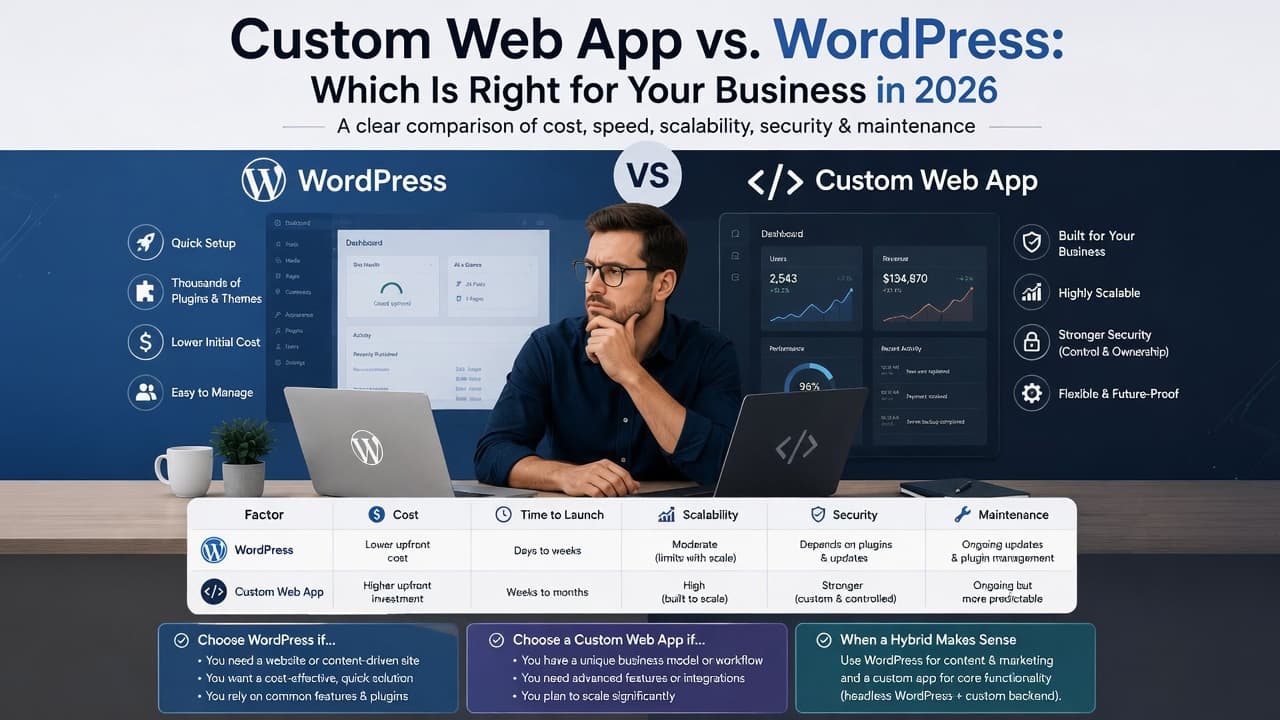
Custom Web App vs WordPress: Which Is Right for Your Business in 2026?
Custom web app vs WordPress: a side-by-side table on cost, launch time, maintenance and security, a quick checklist, and when a hybrid of both is the smart choice.
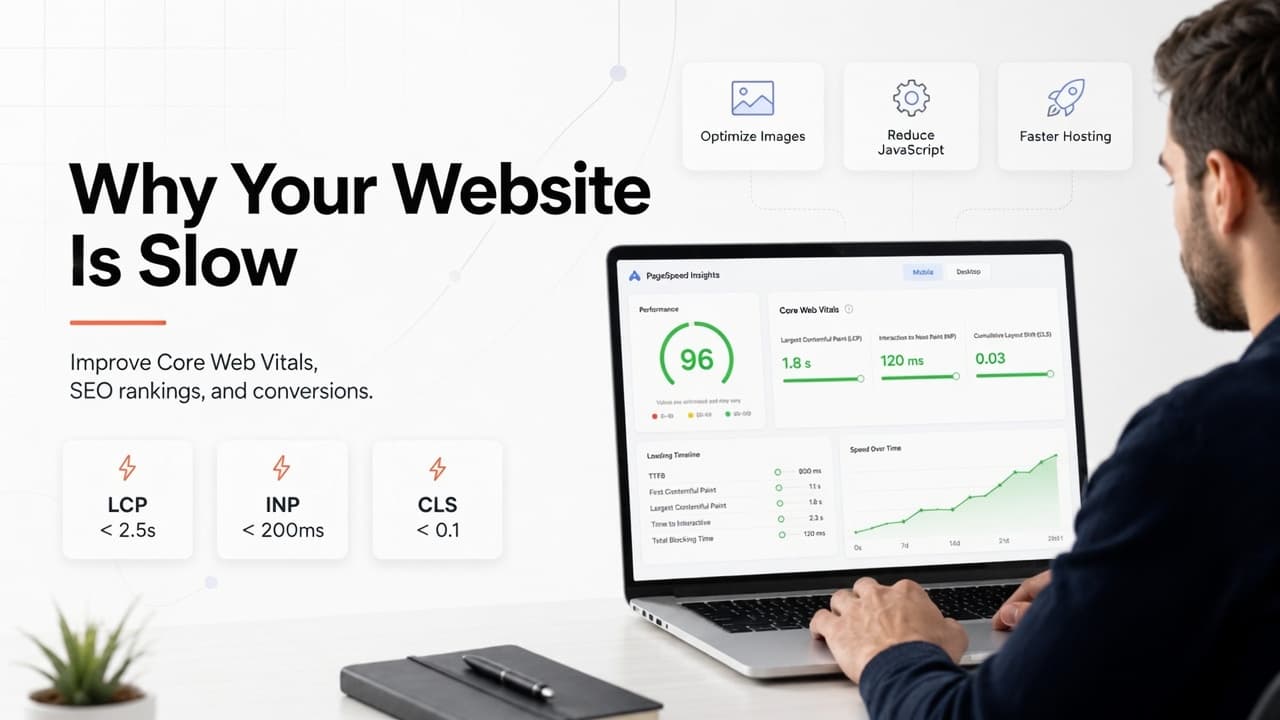
Why Is My Website Slow? Core Web Vitals, Rankings and How to Fix It
Why is your website slow? Find which Core Web Vital is failing (LCP, INP or CLS), trace it to the real cause, and fix that first, using Google's own thresholds.